Using Kilo Code AI pair programming extension with PayPerQ
Learn how to set up Kilo Code, the AI-powered VS Code extension for pair programming, to work seamlessly with PayPerQ's API.
What is Kilo Code?
Kilo Code is a powerful VS Code extension that enables AI-powered pair programming by allowing you to interact with AI models directly within your development environment. Similar to Cline, it helps you edit your codebase using natural language commands and provides intelligent code suggestions.
Step by Step Set Up
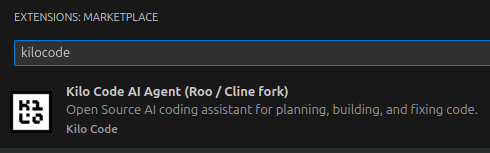
1. Go to the VSCode extension marketplace and install Kilo Code
Search for "Kilo Code" in the VS Code extensions marketplace and install it.
2. Configure Kilo Code settings for PayPerQ
Open the Kilo Code settings and configure it to use PayPerQ as your AI provider:
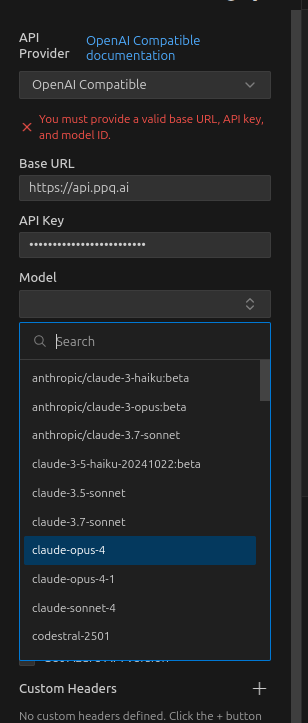
Set the following configuration:
- API Provider: Select OpenAI Compatible
- Base URL: https://api.ppq.ai
- API Key: Use the key from ppq.ai/api-docs
3. Get your PayPerQ API key
Navigate to ppq.ai/api-docs to find your API key:
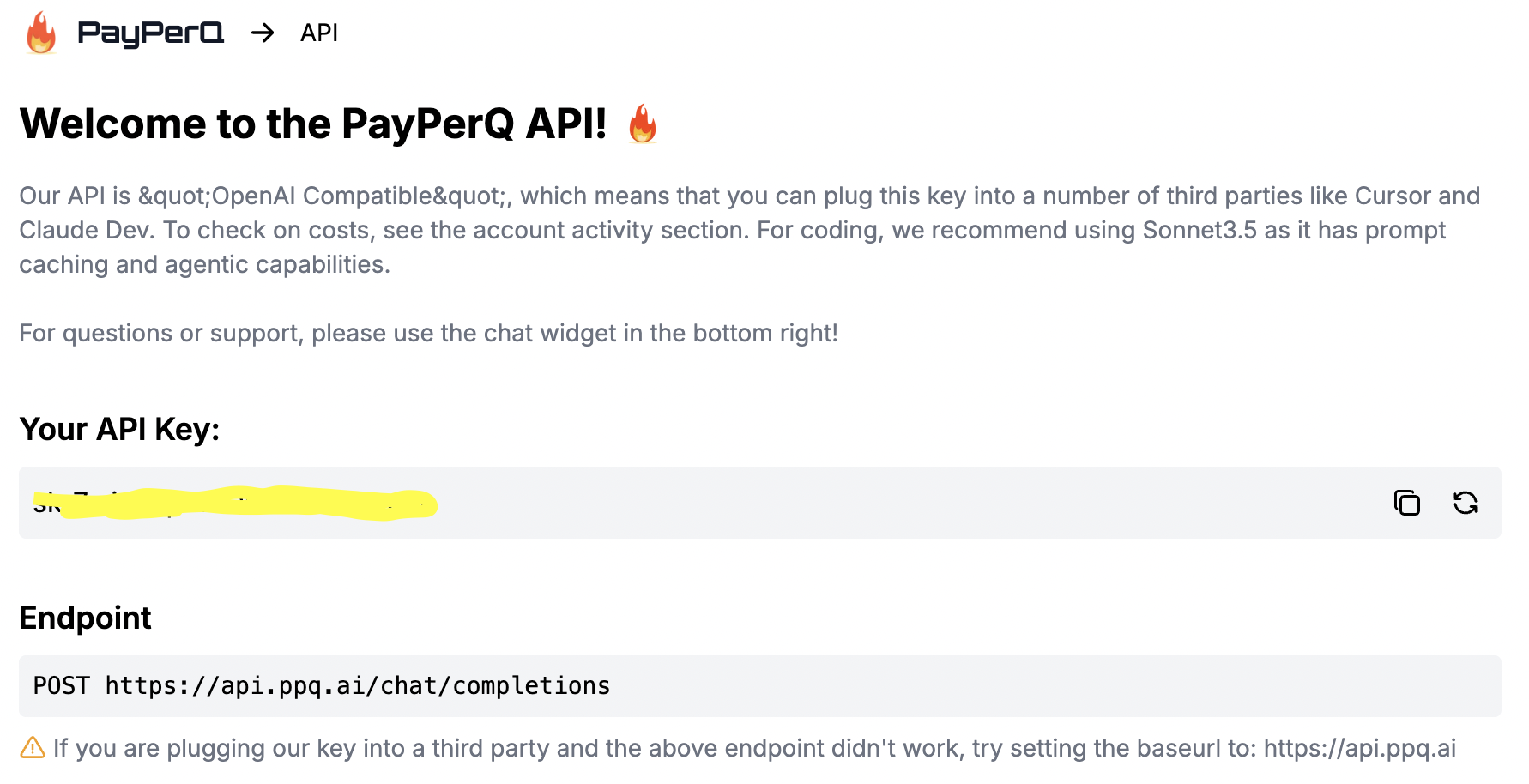
Copy this key and paste it into the Kilo Code API key field in the settings.
4. Start coding with AI assistance
Once configured, you can start using Kilo Code's AI features:
- Code Generation: Ask Kilo Code to write functions, classes, or entire modules
- Code Explanation: Get detailed explanations of complex code
- Refactoring: Request improvements and optimizations to existing code
- Debugging: Get help identifying and fixing bugs
- Documentation: Generate comments and documentation automatically
Benefits of Using Kilo Code with PayPerQ
- Cost-effective: Pay only for what you use with PayPerQ's flexible pricing
- Multiple Models: Access various AI models through PayPerQ's unified API
- High Performance: Fast response times for real-time coding assistance
- Privacy-focused: Your code stays secure with PayPerQ's privacy-first approach
Problems?
Please contact us through the customer communication chatbot in the bottom right or in our telegram channel!
What is PayPerQ?
PayPerQ is the private way to use AI. You get the big-name models from Anthropic, OpenAI, Google and xAI, the best open-source models, and TEE models that run inside a hardware enclave where not even the model's host can see your data. Chat, image, video and audio, all in one place, with no account and no subscription. You top up a balance with crypto or a card, from as little as 10 cents, and pay only for what you use. Most users spend about $4 a month, against $20+ for a single ChatGPT subscription.
Privacy is built in rather than bolted on. Every chat request is served inside a secure enclave that PayPerQ's servers, staff and logs cannot read into, so PayPerQ never sees your prompts or responses. Choose a TEE model and the model's host cannot read them either.
Why Use PayPerQ?
- Private by default - chats are served inside a secure enclave PayPerQ cannot read, and every chat model shows its privacy tier (Anon, ZDR or TEE)
- No account needed - no sign-up and no email; a credit id is all it takes
- Pay with crypto or card - Bitcoin, Lightning, Monero, stablecoins and more, or a credit card
- Hundreds of AI models from every major provider in one place
- Pay per use - no subscriptions; top up from 10 cents and pay only for what you use, about 1 cent per query on average
- Your history stays yours - conversations are stored on your device by default
Getting Started
- Visit ppq.ai
- Top up your balance with crypto or a card (as little as 10 cents)
- Pick a model, check its privacy tier, and start chatting
No account, no sign-up. Fund and go.