
AutoClaw Smart Routing — Automatically pick the best model for your OpenClaw
AutoClaw is a smart routing model that analyzes your OpenClaw prompts and automatically picks the right AI model — cutting costs by up to 70%.
What is AutoClaw?
AutoClaw is our intelligent model router designed for OpenClaw users. It solves a simple problem: why pay $25 per million tokens for a top-tier model when your question is "what is 2+2?"
Instead of forcing you to choose a single model or build your own system, AutoClaw analyzes your prompt in under 1 millisecond and routes it to the best model for the job. Simple questions go to fast, cheap models. Complex reasoning tasks go to powerful ones. You get the right model for the right job, every time.
How It Works
AutoClaw scores your prompt across 15 weighted dimensions — including code detection, reasoning complexity, technical vocabulary, multi-step patterns, and more — then classifies it into one of four tiers:
- Simple — factual questions, translations, definitions → routed to fast, affordable models
- Medium — general coding, writing, moderate tasks → routed to capable all-rounders
- Complex — architecture design, multi-step analysis, advanced coding → routed to top-tier models
- Reasoning — mathematical proofs, formal logic, step-by-step derivations → routed to specialized reasoning models
The entire classification runs on PPQ servers with zero external API calls — it adds no latency to your requests. Prompts with multiple reasoning keywords (like "prove" and "step by step") are automatically escalated to the Reasoning tier with high confidence.
Current Model Assignments (September 2026)
| Tier | Auto | Eco | Premium |
|---|---|---|---|
| Simple | GLM 5.3 Flash | GLM 5.3 Flash | Claude Sonnet 5 |
| Medium | GLM 5.3 | GLM 5.3 Flash | Claude Sonnet 5 |
| Complex | Claude Sonnet 5 | GLM 5.3 | Claude Opus 5 |
| Reasoning | Claude Opus 5 | GLM 5.3 | Claude Opus 5 |
These assignments are updated by PayPerQ as new models are released — you always get the latest and best without changing your configuration.
Key Capabilities
- 15-dimension prompt analysis covering code, reasoning, technical depth, creativity, constraints, and more
- Sub-millisecond routing — no latency added to your requests
- Multilingual support — keyword detection in English, Chinese, Japanese, Russian, and German
- Three routing profiles — auto (balanced), eco (cheapest), and premium (best quality)
- Agentic mode detection — automatically identifies multi-step agent tasks and routes accordingly
- Always up to date — PayPerQ keeps the tier model assignments current with the latest and best models, so you don't have to worry about updating your configuration as new models launch
How to Use on PayPerQ
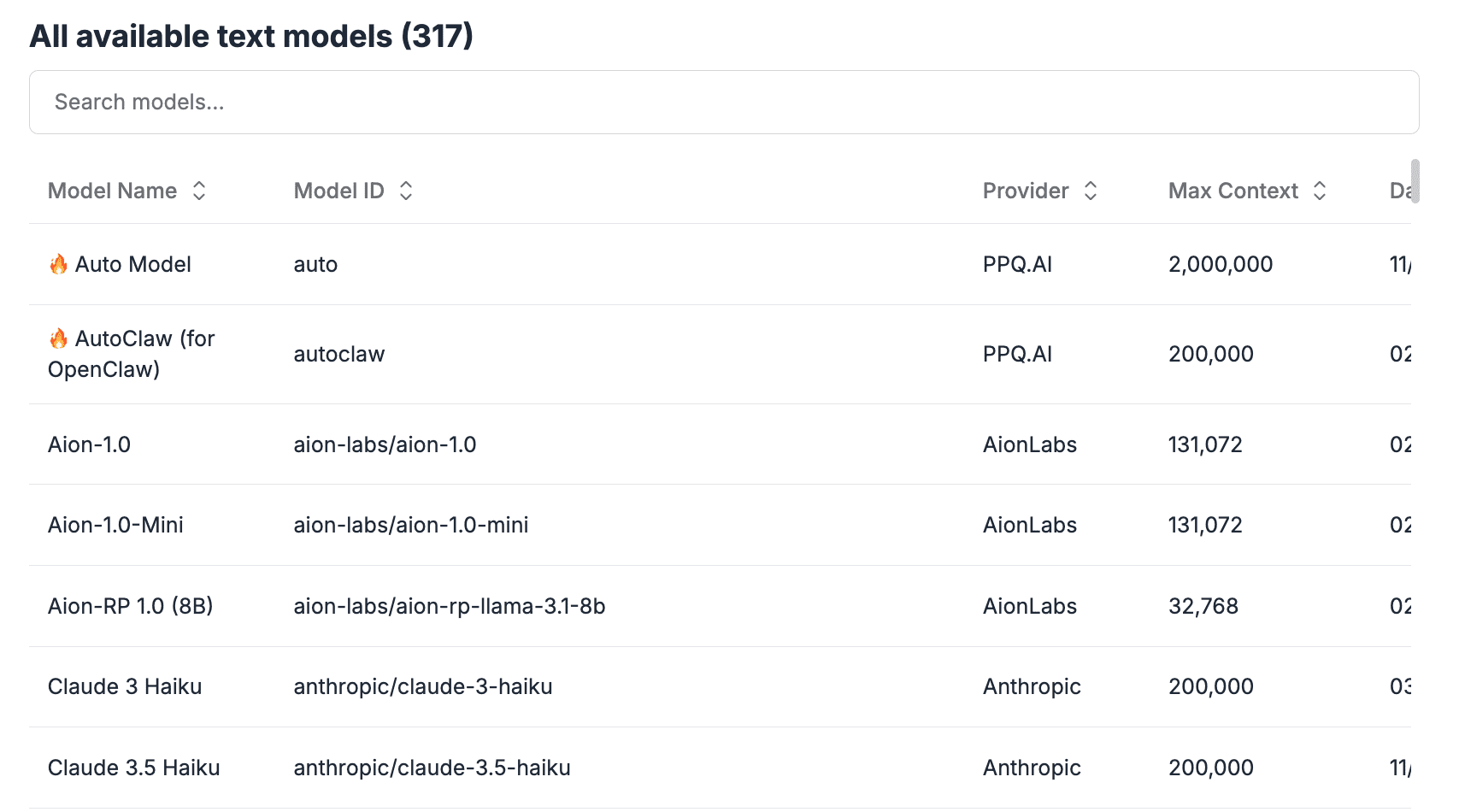
AutoClaw is available through the PayPerQ API. Set your model to autoclaw in any OpenAI-compatible request:
bashcurl https://api.ppq.ai/v1/chat/completions \ -H "Content-Type: application/json" \ -H "Authorization: Bearer sk-YOUR_API_KEY" \ -d '{ "model": "autoclaw", "messages": [{"role": "user", "content": "What is the capital of France?"}] }'
Routing Profiles
| Profile | Model ID | Best For |
|---|---|---|
| Auto | autoclaw or autoclaw/auto | Balanced quality and cost (default) |
| Eco | autoclaw/eco | Maximum cost savings |
| Premium | autoclaw/premium | Best quality for every tier |
Custom Model Lists — Bring Your Own Four Models
Don't want to use one of the built-in profiles? You can supply your own models and let the same AutoClaw engine score your prompts and route them through your picks. Use the autorouter/ prefix followed by a comma-separated list of exactly four model slugs:
bashcurl https://api.ppq.ai/v1/chat/completions \ -H "Content-Type: application/json" \ -H "Authorization: Bearer sk-YOUR_API_KEY" \ -d '{ "model": "autorouter/minimax/minimax-m3,z-ai/glm-5.2,anthropic/claude-sonnet-5,anthropic/claude-opus-5", "messages": [{"role": "user", "content": "What is the capital of France?"}] }'
The four models above are an arbitrary illustration, not the built-in defaults — any four models from the PayPerQ catalog work, and the whole point of autorouter/ is picking a ladder that differs from the profiles in the table earlier in this post.
The list is positional — left-to-right maps directly onto the four AutoClaw tiers:
| Position | Tier | In the example above |
|---|---|---|
| 1st | Simple | minimax/minimax-m3 |
| 2nd | Medium | z-ai/glm-5.2 |
| 3rd | Complex | anthropic/claude-sonnet-5 |
| 4th | Reasoning | anthropic/claude-opus-5 |
Put your cheapest/fastest model first and your most capable model last. AutoClaw scores each incoming prompt the same way as the built-in profiles, then forwards it to whichever slot you've assigned.
Rules to keep in mind:
- Exactly four models required. Any other count — empty, 1, 2, 3, or 5+ — falls back to the default
autoclaw/autoprofile. There is no fuzzy distribution across an incomplete list. - Order is the assignment.
autorouter/A,B,C,Dis not the same asautorouter/D,C,B,A. The first entry handles simple prompts, the last entry handles reasoning. - Slugs or short aliases accepted. Each entry can be a canonical provider slug (
anthropic/claude-opus-5,minimax/minimax-m3) or a PayPerQ short alias (claude-opus-5,minimax-m3). - Unknown entries pass through. Typos or unrecognized slugs aren't rejected up front — they're forwarded upstream as-is and may return a 404 if the selected tier happens to route to one.
Using with OpenClaw
If you're using OpenClaw, add the following to your ~/.openclaw/openclaw.json:
json{ "env": { "PPQ_API_KEY": "sk-YOUR_API_KEY_HERE" }, "models": { "mode": "merge", "providers": { "ppq": { "baseUrl": "https://api.ppq.ai", "apiKey": "${PPQ_API_KEY}", "api": "openai-completions", "models": [ { "id": "autoclaw", "name": "autoclaw" } ] } } }, "agents": { "defaults": { "model": { "primary": "ppq/autoclaw" } } } }
Important: Replace sk-YOUR_API_KEY_HERE with your actual PayPerQ API key from ppq.ai/api-docs. If you already have an openclaw.json with other settings, merge these fields into your existing config rather than replacing it.
Then restart the gateway:
bashopenclaw gateway restart
New to OpenClaw?
If you haven't set up OpenClaw with PayPerQ yet, check out our guide: Using OpenClaw with PayPerQ. It walks you through downloading OpenClaw, getting your API key, and configuring it to use PayPerQ's hundreds of AI models — all in just a few minutes.
What is PayPerQ?
PayPerQ is the private way to use AI. You get the big-name models from Anthropic, OpenAI, Google and xAI, the best open-source models, and TEE models that run inside a hardware enclave where not even the model's host can see your data. Chat, image, video and audio, all in one place, with no account and no subscription. You top up a balance with crypto or a card, from as little as 10 cents, and pay only for what you use. Most users spend about $4 a month, against $20+ for a single ChatGPT subscription.
Privacy is built in rather than bolted on. Every chat request is served inside a secure enclave that PayPerQ's servers, staff and logs cannot read into, so PayPerQ never sees your prompts or responses. Choose a TEE model and the model's host cannot read them either.
Why Use PayPerQ?
- Private by default - chats are served inside a secure enclave PayPerQ cannot read, and every chat model shows its privacy tier (Anon, ZDR or TEE)
- No account needed - no sign-up and no email; a credit id is all it takes
- Pay with crypto or card - Bitcoin, Lightning, Monero, stablecoins and more, or a credit card
- Hundreds of AI models from every major provider in one place
- Pay per use - no subscriptions; top up from 10 cents and pay only for what you use, about 1 cent per query on average
- Your history stays yours - conversations are stored on your device by default
Getting Started
- Visit ppq.ai
- Top up your balance with crypto or a card (as little as 10 cents)
- Pick a model, check its privacy tier, and start chatting
No account, no sign-up. Fund and go.
Credits
AutoClaw's routing engine is based on ClawRouter, an open-source smart LLM router, with additional tweaks and model configurations tailored for the PayPerQ platform and its users.